One Key for 1FileTool and the Rest of Your StoicSoft Apps
1FileTool 1.12.0 accepts StoicSoft store keys: one bundle key activates 1FileTool Pro and every other app in the bundle, and the License page shows what you own.
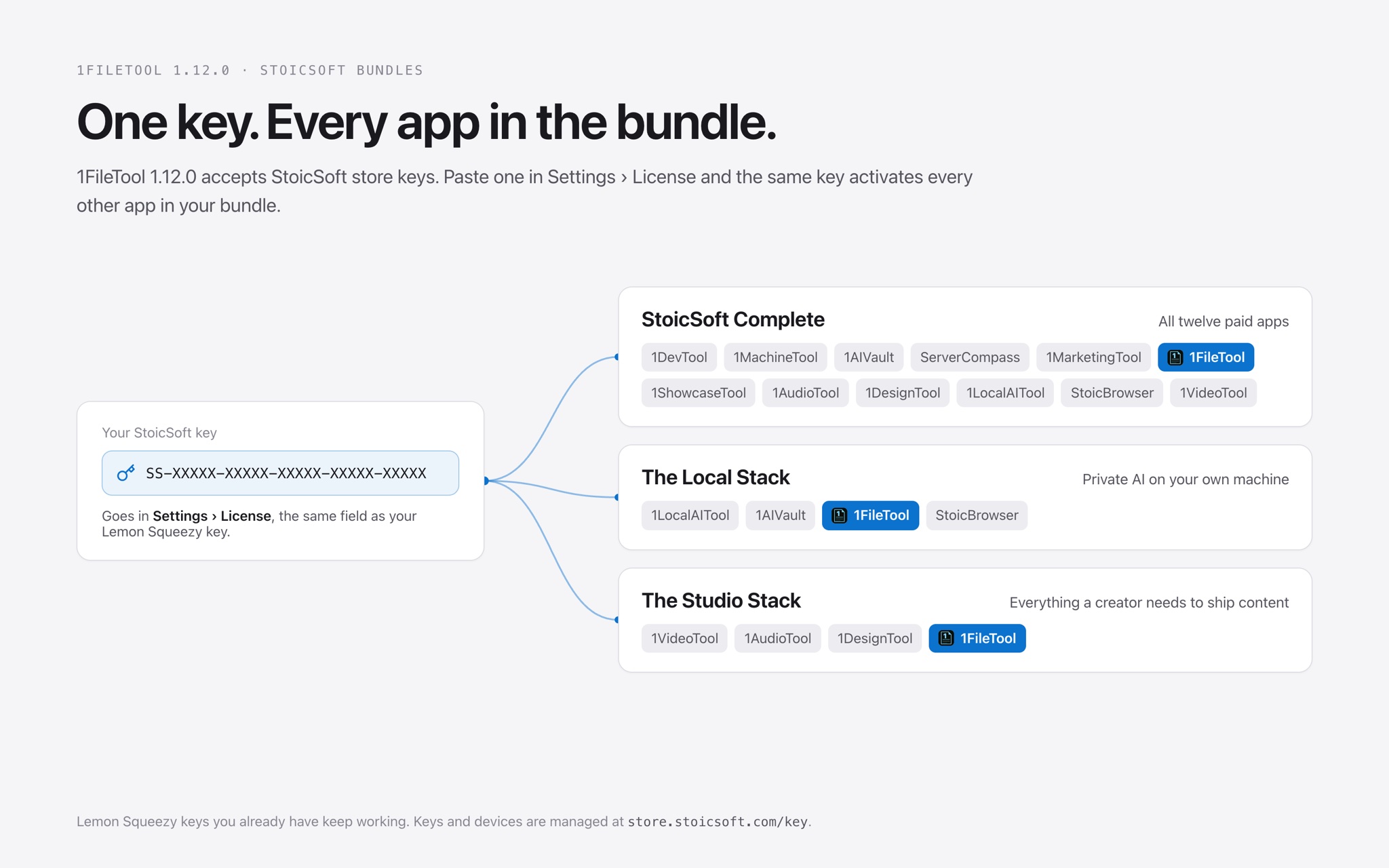
You bought 1FileTool. Then 1AIVault for your notes, and later 1LocalAITool to run models on your own machine. That is three license keys in three emails, three activations on every new laptop, and three separate answers to "how many devices have I used?"
Or you have not bought anything yet, and two or three StoicSoft apps would cover what you need. Buying each one on its own means paying for each one on its own, then keeping track of each key.
What changed
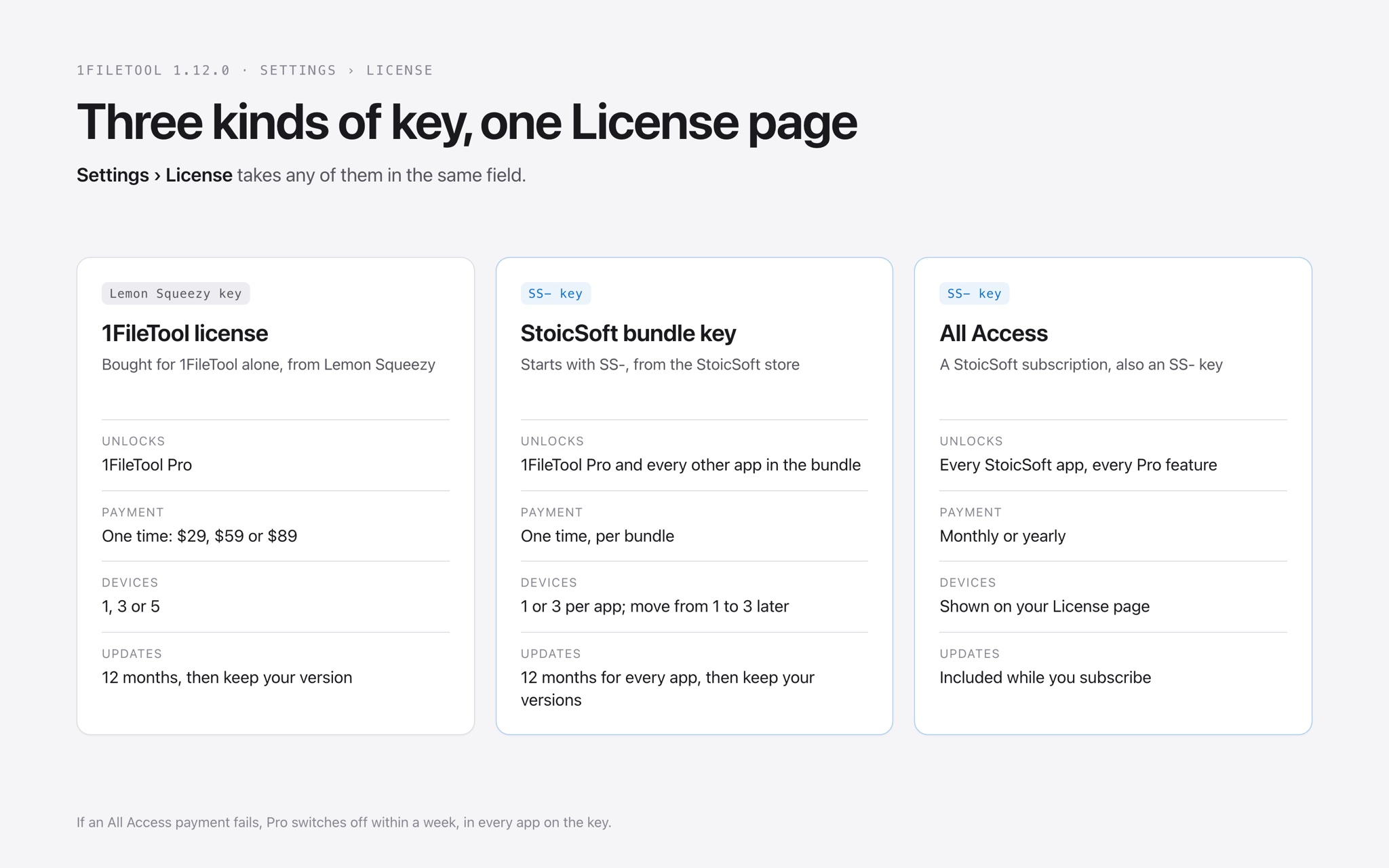
1FileTool 1.12.0 accepts keys from the StoicSoft store. A bundle key now activates 1FileTool Pro and every other app in that bundle, so you keep one key instead of one per app. The Lemon Squeezy key you already have keeps working exactly as before.
How it works in practice
Paste it where you always have
Open Settings › License. The License Key field takes both kinds of key, and its placeholder says so: "SS-XXXXX-XXXXX-XXXXX-XXXXX-XXXXX or your Lemon Squeezy key". Paste the key and press Activate License. Keys from the StoicSoft store start with SS-; nothing else about activating changes.
The License page knows what you own
After you activate a bundle key, the License page names the bundle, for example "You've got The Local Stack.", and tells you that 1FileTool Pro comes with that key, along with every other app in it. Underneath, it lists the other apps the same key opens and links to the one page on the StoicSoft store where the key and its devices are managed for every app in the bundle.
Three bundles include 1FileTool
- StoicSoft Complete: all twelve paid StoicSoft apps.
- The Local Stack: 1LocalAITool, 1AIVault, 1FileTool and StoicBrowser. Private AI on your own machine: local models, memory, files and browsing, nothing uploaded.
- The Studio Stack: 1VideoTool, 1AudioTool, 1DesignTool and 1FileTool. Video, dictation, graphics and exports.
On the free plan, the License page shows these bundles with their prices and what you save compared with buying the apps one by one, so you can decide without leaving the app.
All Access works too
A StoicSoft All Access subscription is also an SS- key, and it goes in the same field. It unlocks every StoicSoft app for as long as the subscription runs. The License page shows the date you are paid through, and if a payment fails, Pro switches off within a week, in every app on the key. 1FileTool's own licenses are still one-time payments with 12 months of updates; nothing about them became a subscription.
More devices, or your next app, from the same page
If your key covers fewer devices than the largest plan, the License page asks "Need 1FileTool on more machines?" and Add devices opens the store's upgrade page with the price for your license. A 1FileTool key can move from 1 to 3 devices or from 3 to 5; a bundle key can move from 1 to 3 devices per app.
With a single-app Pro license, the same page shows the discount on your next StoicSoft app. It starts at 15% and rises with each app you add, up to 35%.
Upgrades show up on their own
Added devices or moved to a bigger bundle? Press Validate License. 1FileTool picks up the new bundle name and the higher device limit straight away, without deactivating and activating again.
Before vs after
| Before 1.12.0 | With 1.12.0 | |
|---|---|---|
| Owning three StoicSoft apps | Three keys, three emails | One bundle key |
| Checking what you own | Search your inbox | The License page names your bundle and its apps |
| Needing another machine | Buy a new license | Add devices on the License page |
| After an upgrade | Deactivate, then activate again | Validate License |
| Your existing 1FileTool key | Works | Still works, unchanged |
Who benefits most
People already using two StoicSoft apps. If 1FileTool sits next to 1AIVault or 1DesignTool on your machine, a bundle replaces a drawer of keys with one, and the next app you add is cheaper either way.
Creators who cut video, record voice-overs and export graphics. The Studio Stack puts 1FileTool's batch conversions and compression next to the apps that make the files in the first place.
Anyone who wants their AI and their files to stay on their computer. The Local Stack pairs 1FileTool's offline tools with local models, a local memory vault and a private browser, under one key.
Try it
Install 1FileTool 1.12.0 from Settings › Updates, or download it. Then open Settings › License to see the bundles that include 1FileTool, or paste the SS- key you already have. The details, including how All Access billing works, are in Free vs Pro, and the bundles themselves are on the StoicSoft store.
From across the StoicSoft network
Hand-curated reads on the same topic from sister sites in the StoicSoft family.
 1LocalAITool7 min read
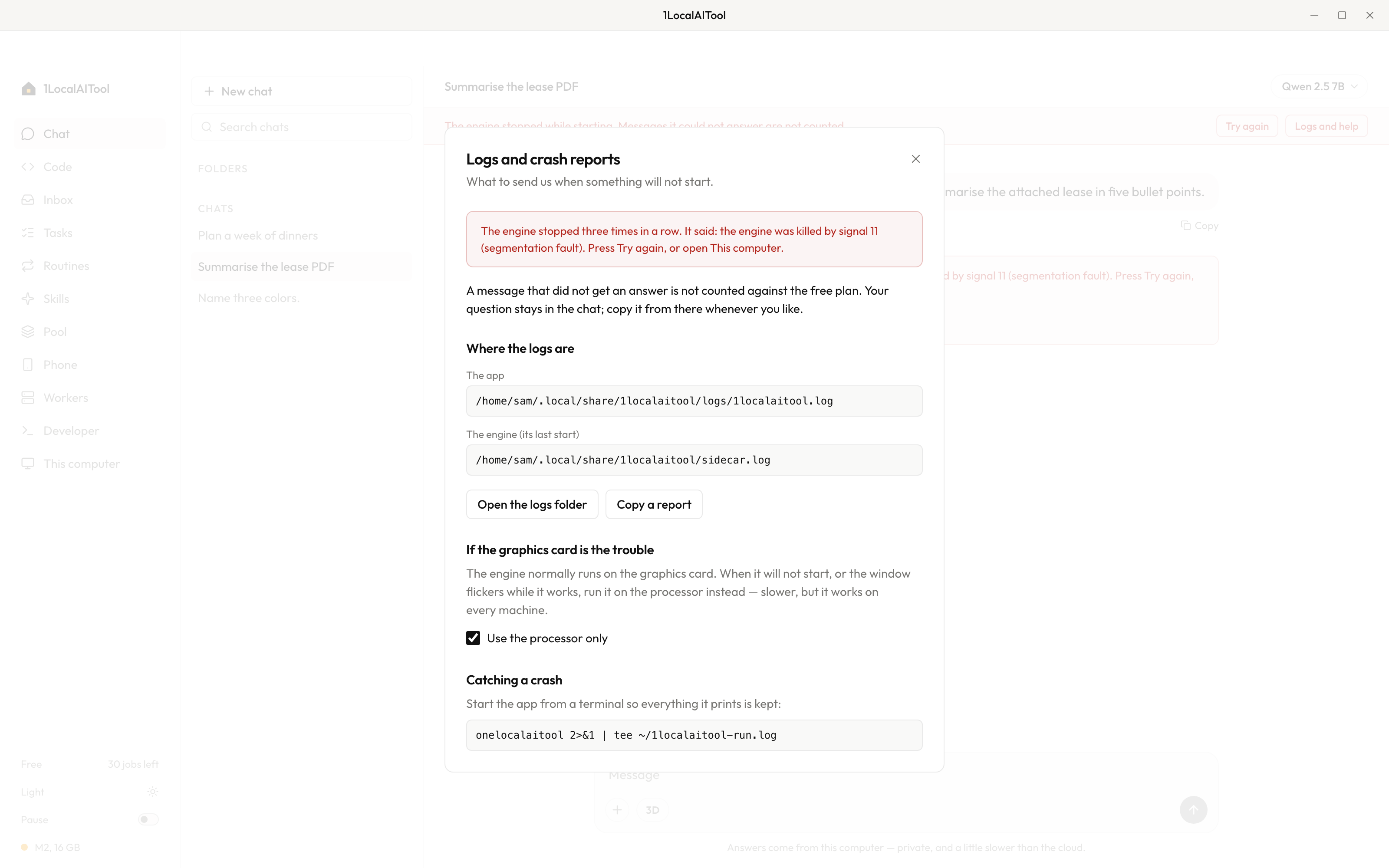
When the engine will not start: what 1LocalAITool 0.9.0 changes
A failed start now opens a page with the engine's own error, the log paths and a report you can copy, and an unanswered message no longer costs a free one.
Read on 1localaitool.com 1AIVault7 min read
Draw How Your Projects Connect, and Let Every AI Tool Follow
Relationship Maps let you draw how your projects, topics and memories relate, so Claude Code, Cursor and every connected AI tool can follow those connections instead of guessing from keywords.
Read on 1aivault.com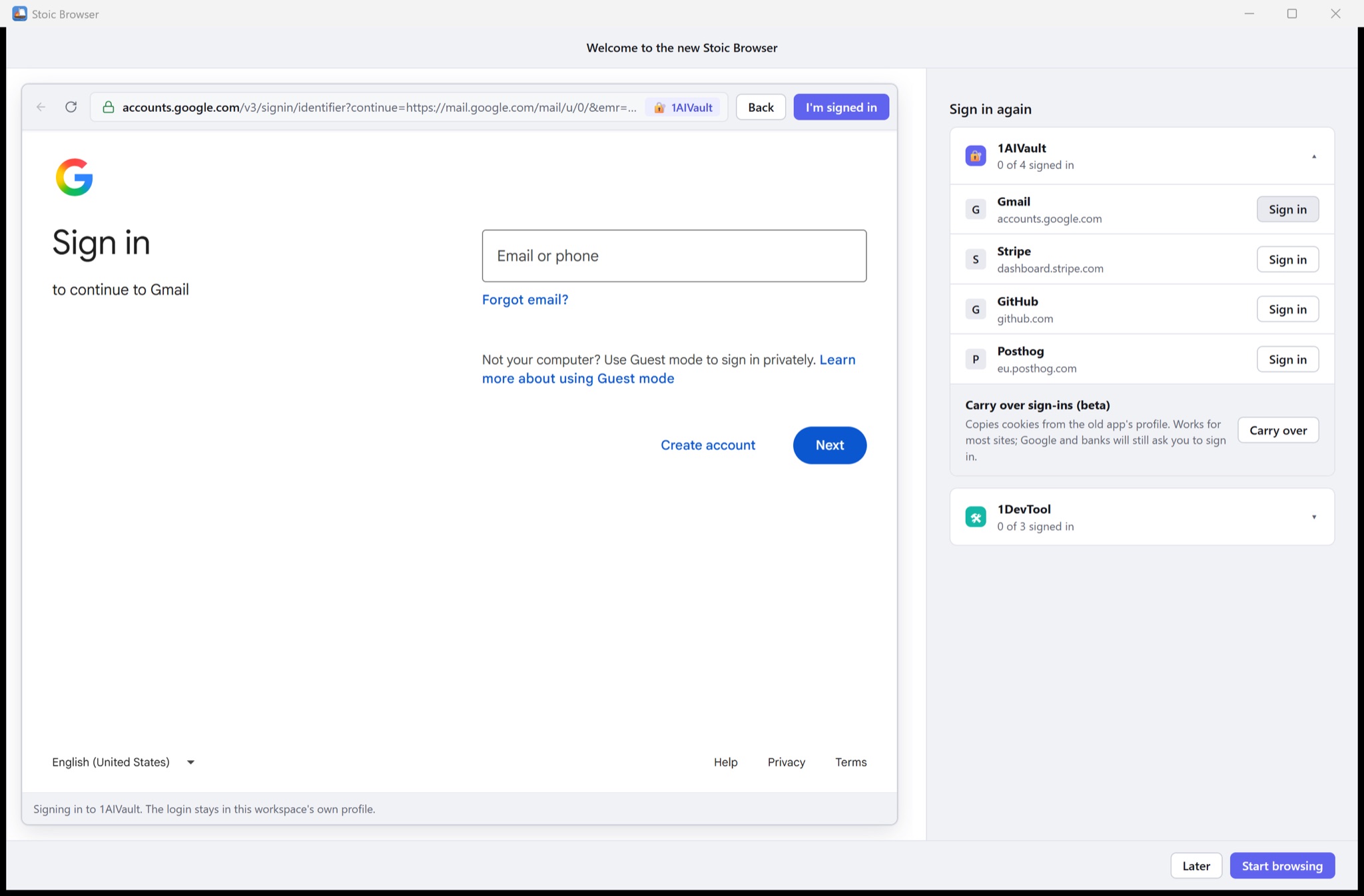 StoicBrowser5 min read
Stoic Browser 1.0: signed in to Google, at a fraction of the size
Stoic Browser 1.0 runs on the browser engine your system already ships, so Gmail, Analytics and Search Console sign in inside your workspaces, the installer is 11 MB on Windows, and your setup carries over.
Read on stoicbrowser.com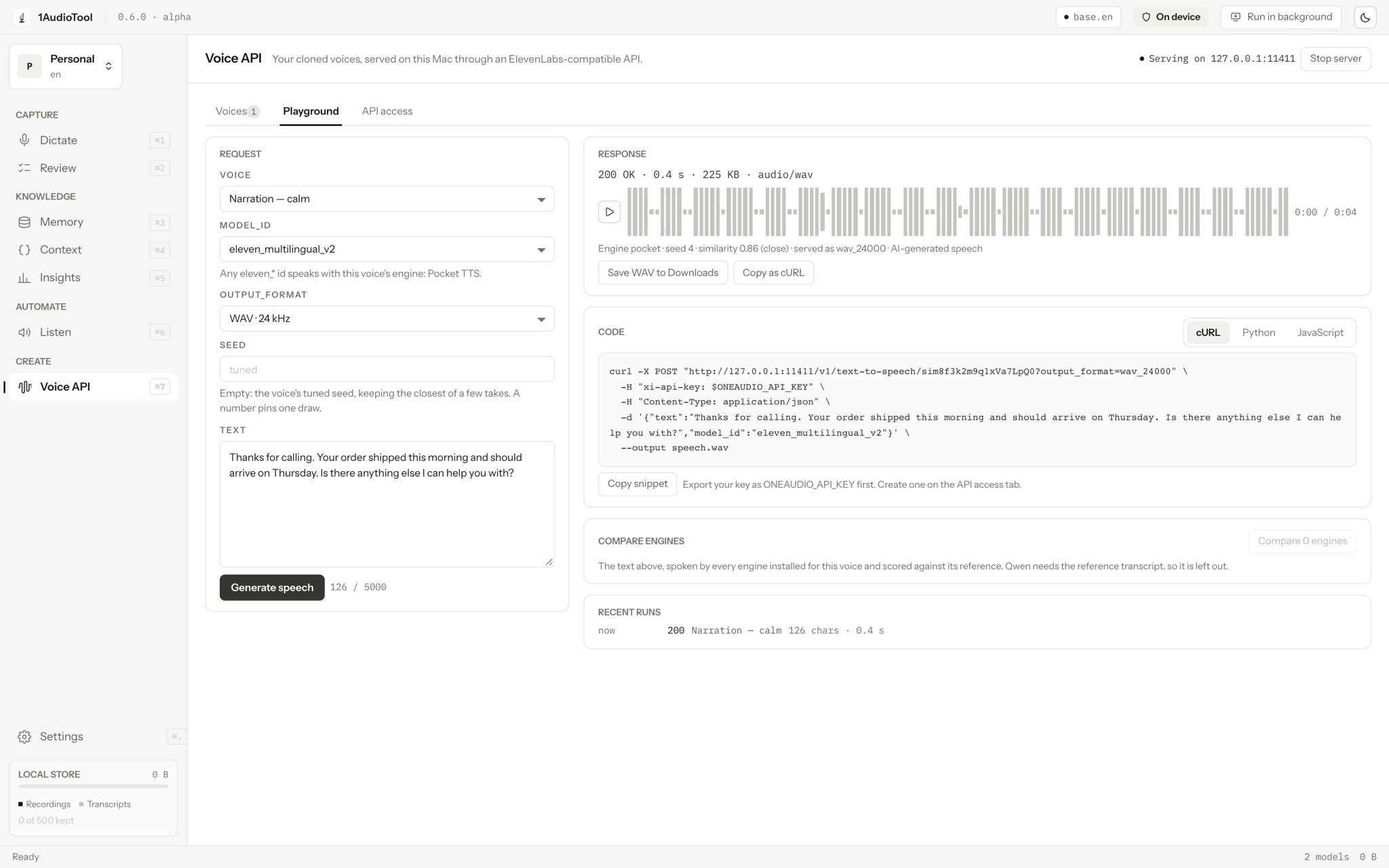 1AudioTool7 min read
Your cloned voice, served on your own computer through an ElevenLabs-compatible API
1AudioTool 0.6.0 lets you train a voice from your own samples, see how close the clone sounds, and call it from any ElevenLabs client by changing only the base URL. The speech is made on your device.
Read on 1audiotool.com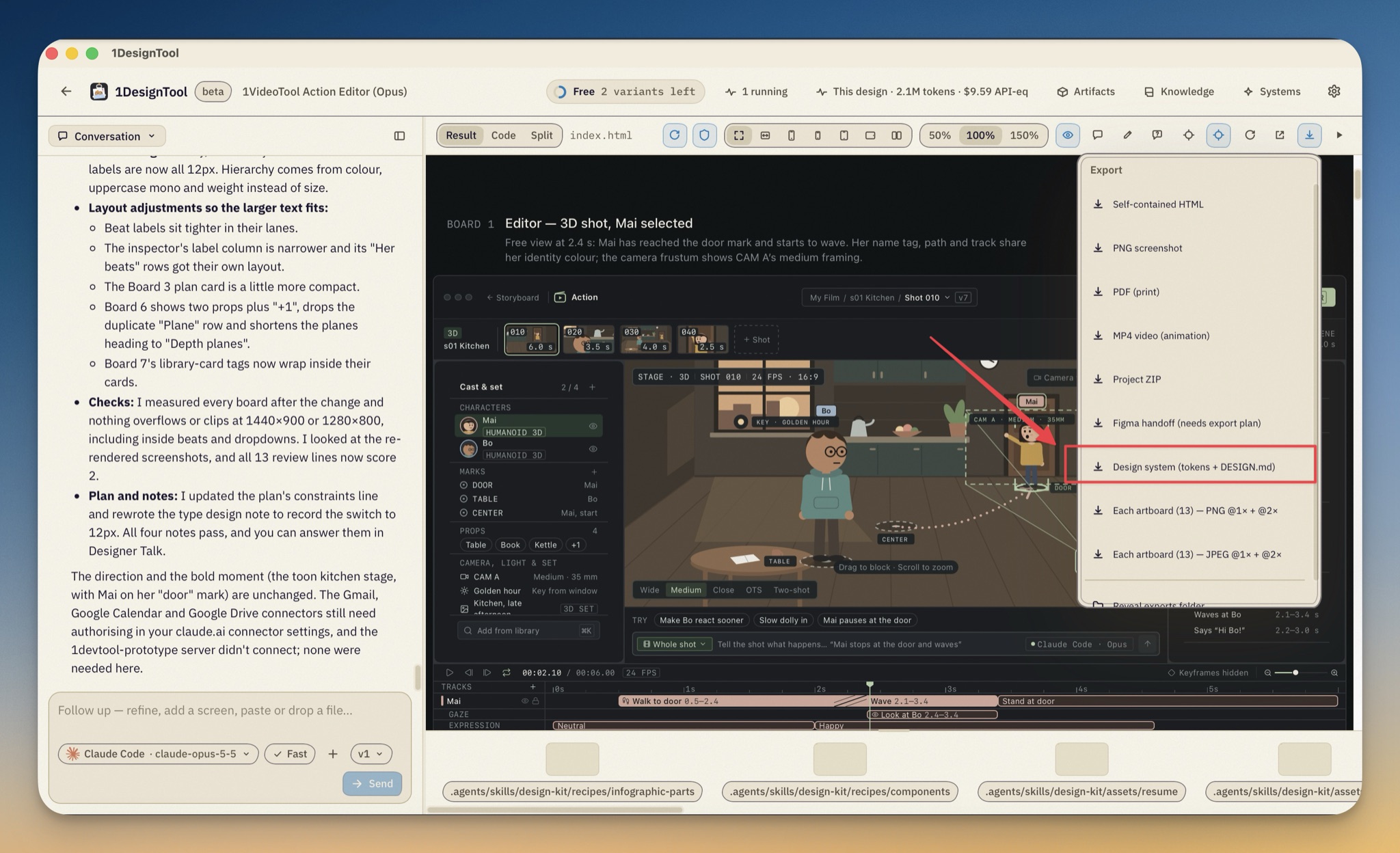 1DesignTool6 min read
Export a design system from a design you already made
You no longer have to re-describe a look you already landed. Export the palette, type, radii, depth and motion a finished design already is, then import that package and start the next brief inside it.
Read on 1designtool.com