Remove author metadata from Word, Excel and PowerPoint
See the author, company, revision count and edit time hidden in an Office file, strip them offline in a batch, and check the clean copy before you send it.
Your progress
Remove the author, company, "last edited by", revision count and editing time from Word, Excel and PowerPoint files before they leave your organisation. 1FileTool's Strip Metadata does it offline in a batch, and Document Info lets you check the file before and after, without Microsoft Office.
What you'll need
- 1FileTool 1.11.1 or later on macOS 13+, Windows or Linux.
- Modern Office files:
.docx,.xlsxor.pptx(and their macro-enabled.docm,.xlsm,.pptmversions). Strip Metadata rewrites the file package itself, so older.doc,.xlsand.pptfiles are skipped; save them in the modern format first. - On the free plan, each file counts toward the 8 files a day.
Protect your originals first
Replace source is ON by default: the output overwrites the original file and no backup is kept. Before following along, open Settings › General and turn Replace source off, or pick a separate output folder.
Keep Replace source off for this run. Strip Metadata then writes clean copies to your output folder and leaves your originals untouched until you have checked the result.
Steps
1. See what the file says about you
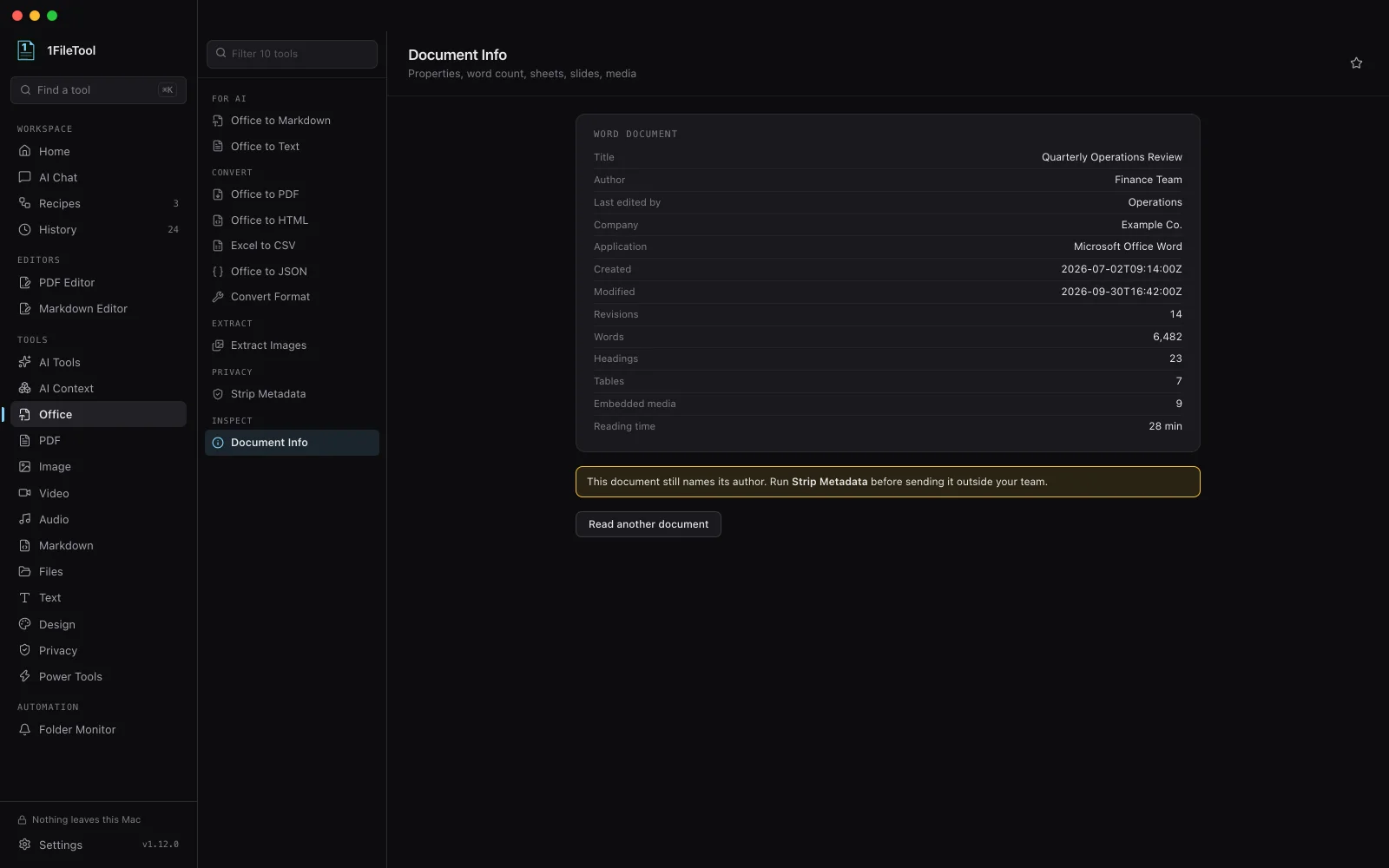
In the sidebar, open Office and pick Document Info under Inspect. Drop one of your files and press Read (the button names the file, for example Read proposal.docx). The properties card lists the Title, Author, Last edited by, Company, Application, Created and Modified dates and the number of Revisions, next to the word, heading, table and media counts. If the author or company is set, an amber note says so: "This document still names its author. Run Strip Metadata before sending it outside your team."
2. Open Strip Metadata
Pick Strip Metadata under Privacy ("Remove author, company, revision and edit time"). It is also under Tools › Office in the menu bar.
3. Drop the batch
Drop every file you are about to send: Word, Excel and PowerPoint together are fine. If one of them is a legacy format, 1FileTool lists it as skipped before you run ("this tool needs a modern .docx, .xlsx or .pptx file.").
4. Run it
Press Run on 4 documents (the count matches your batch). Each file is handled on its own, so a damaged document is reported and the rest still finish. The result card lists the clean copies; Reveal in Finder (or File Explorer) shows them.
5. Check a clean copy
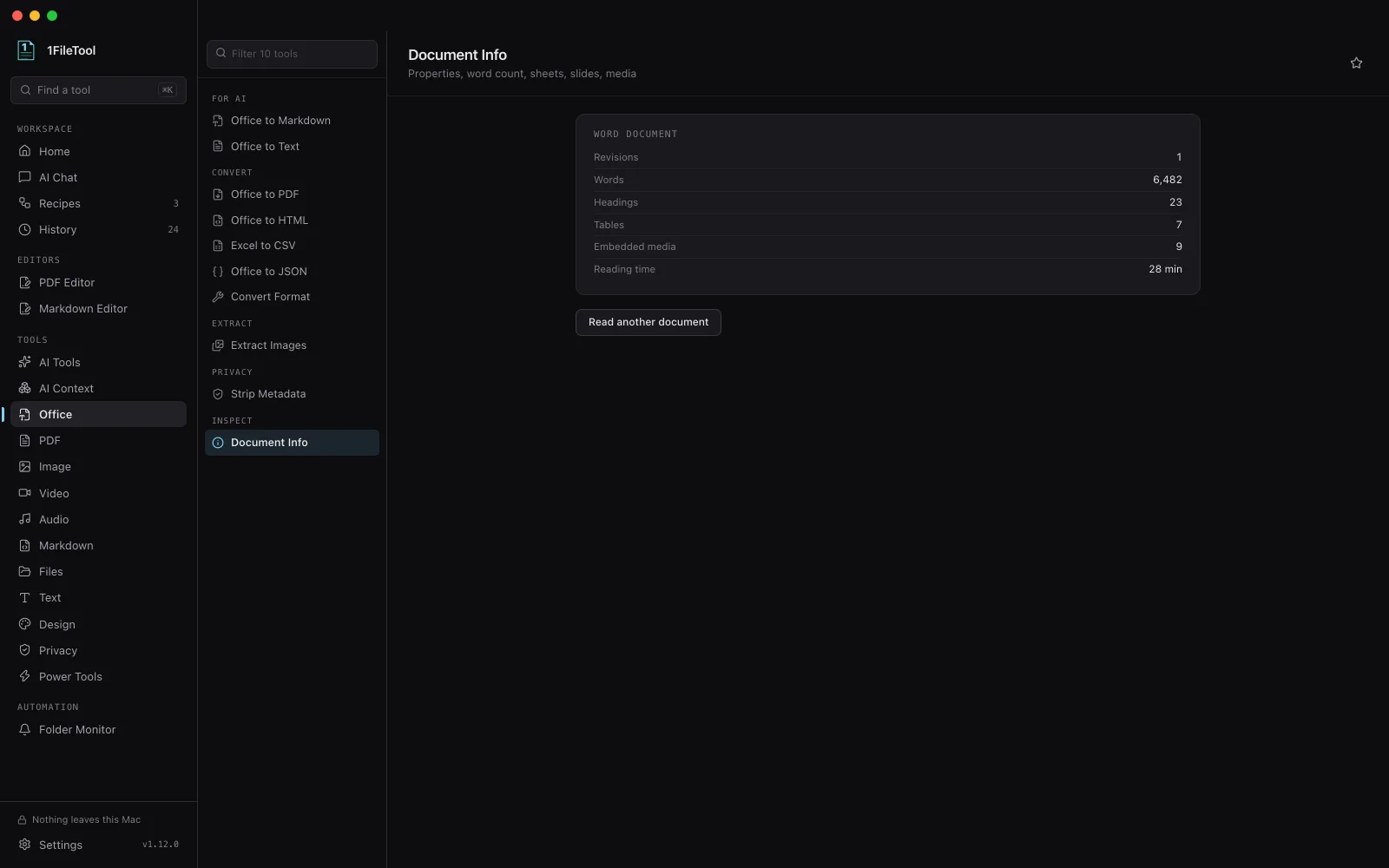
Go back to Document Info, drop one of the new copies and press Read again. The title, author, last editor, company, application and both dates are gone, the revision count is back to 1, and the amber note no longer appears. The word, heading, table and media counts are the same as before, because the document's content was not touched.
The result
Copies of your files with the core and app properties cleared: title, subject, author, keywords, description, last editor, company, manager, application, the created and modified dates, and the total editing time. Custom document properties and the embedded preview thumbnail are dropped too. The text, tables, slides and images inside are unchanged.
If it didn't work
- A file was skipped: it is a legacy
.doc,.xlsor.pptfile. Open it in Word, Excel or PowerPoint (or LibreOffice) and save it as.docx,.xlsxor.pptx, then run it again. - The originals changed: Replace source was on, so the clean files replaced them in place. That is often what you want once you trust the result, but keep a copy the first time.
- Names still appear inside the document: Strip Metadata clears the file's properties, not the text. A name typed in a header, a footer, a comment or tracked changes is content; remove it in the document itself.
- You also need to clean photos or PDFs: use Privacy › Strip Metadata, which handles images and PDFs in the same batch.
Try next
Photos leak more than Office files do: Remove GPS and camera data before you share photos. Converting the document for an AI instead? Convert Word, Excel and PowerPoint to Markdown.
Related
Tools used